Help Center Results

2.0

Software support and self-service articles for our loyal user community!

Can I reset the Scale on my survey?

You can easily reset the original scale on your survey by following these simple steps:
 
While editing a Survey: 
 
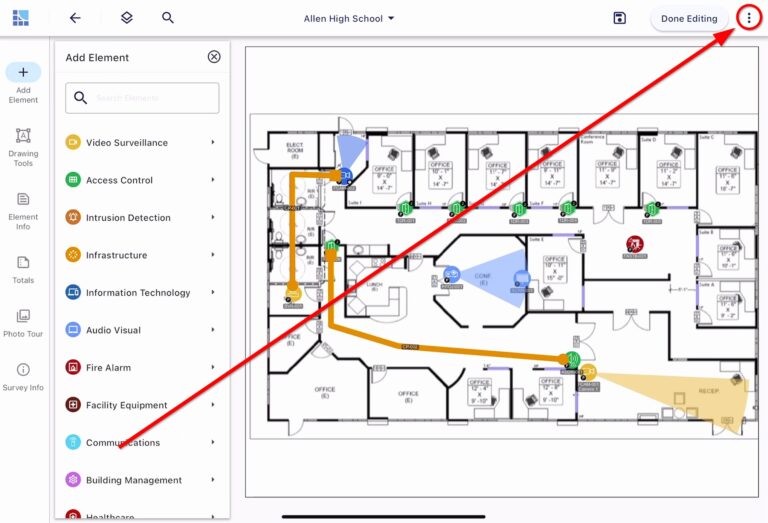
  1. Click the “three dots” in the upper right corner of the screen.
 
A digital layout of a school building with color-coded pathways and icons indicating various facilities or features.


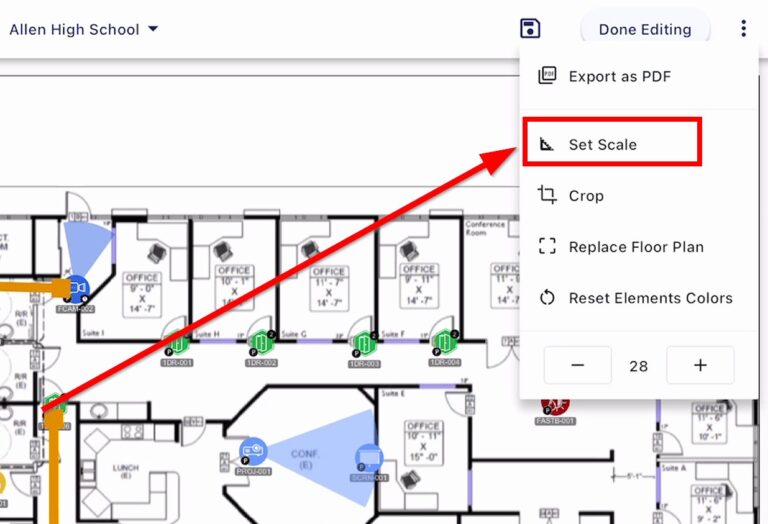
  • Select “Set Scale”
An architectural floor plan with navigational options visible, highlighting the 'Set Scale' feature in a software interface.


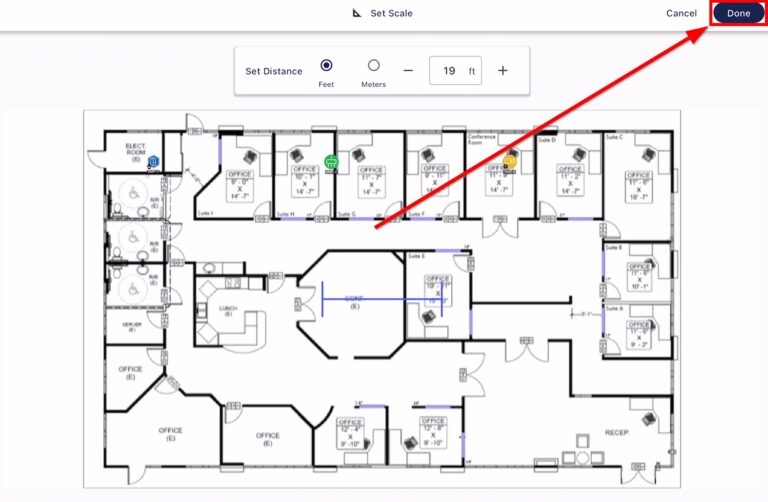
  • Set the new Scale as needed, then select “Done”.

A detailed floor plan showing multiple rooms, with labels, dimensions, and navigation options for layout adjustments.
The measurements on your survey will now reflect the new scale that you set. 
System Surveyor 2.0