A professional design and report is essential to present high value projects. You’ll look like a rockstar for your client or stakeholder. Automate it, brand it & make it yours.
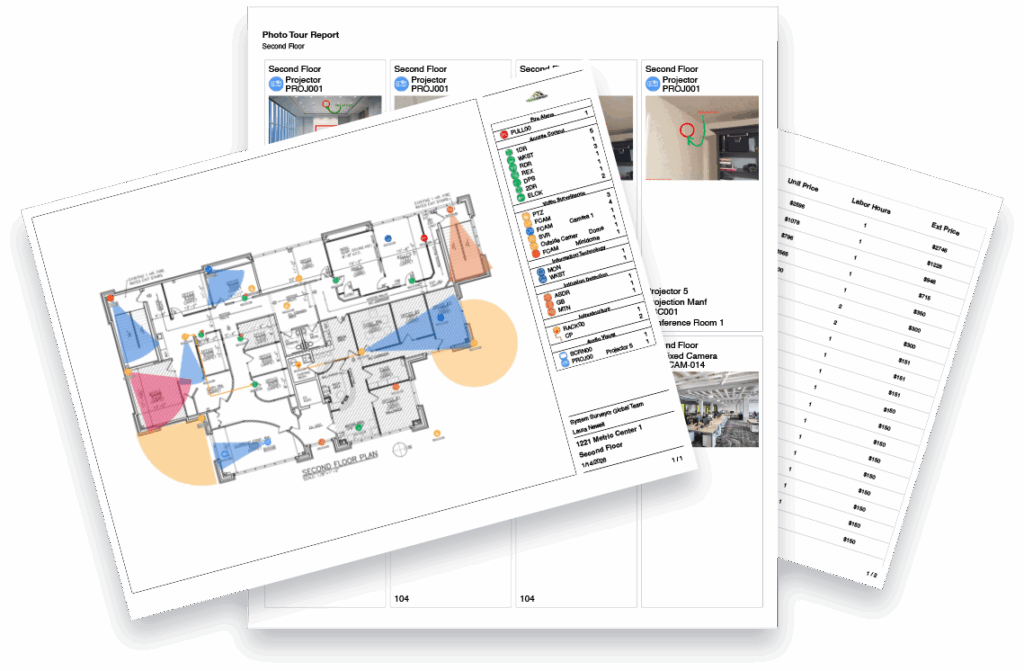
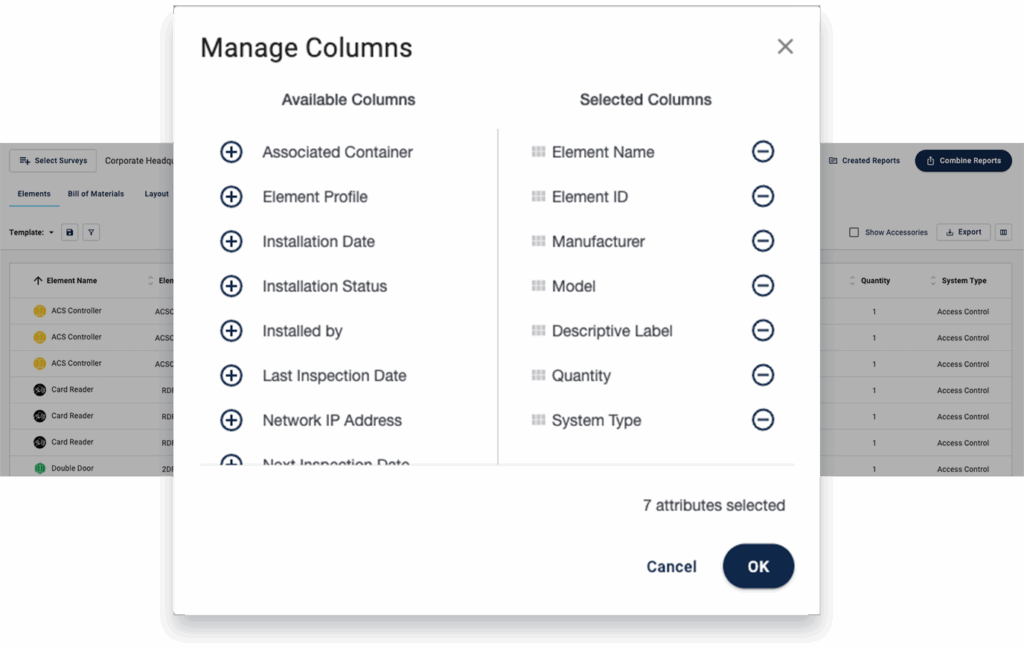
Automate a BOM, combine a professional Survey Layout with a legend and include the photos from your site survey – all in one branded report. Export in PDF, Excel or better yet invite people to your digital as-built. Share professional reports for proposals, installations and inspections. All at your fingertips.
Digital As-Built
Bill of Materials
Configuration & InfoMask
Customized Reports
Branded Reports
Digital As-Built
Digital As-Built
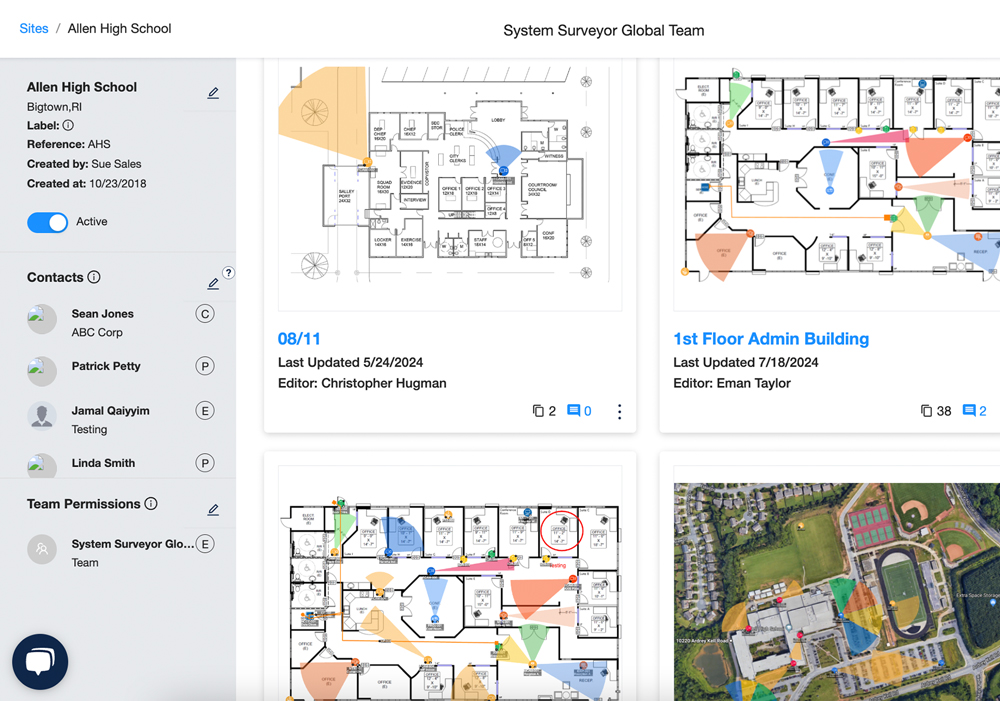
Most organizations only have an old, static PDF of their system design. It’s useless. A dynamic, digital as-built allows you to capture all of the details and devices in your system in one place with photos, context, maintenance, inspection, IP details and more.
All the details in one place, dynamic and digital
A place to keep all the details of your system updated in real-time
Digital documentation to share and manage with your team and partners
Include Functional, Maintenance, Inspection, encrypted IP device details and more in one place
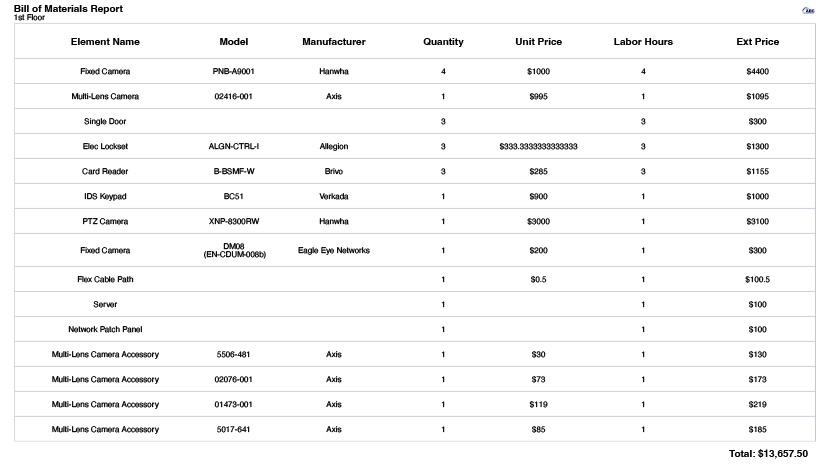
As you use the simplicity of drag-and-drop design, you’re also automatically creating a BOM. This saves countless hours. Moreover, you’ll have an accurate, proposal and procurement ready list of the products and accessories needed to do the job. Voila!
Automate a bill of materials quickly & easily
Include the devices you need and accessories you want
Apply the Element Profiles to select specific brands and related devices
Export into professional, branded reports for a proposal or stakeholder
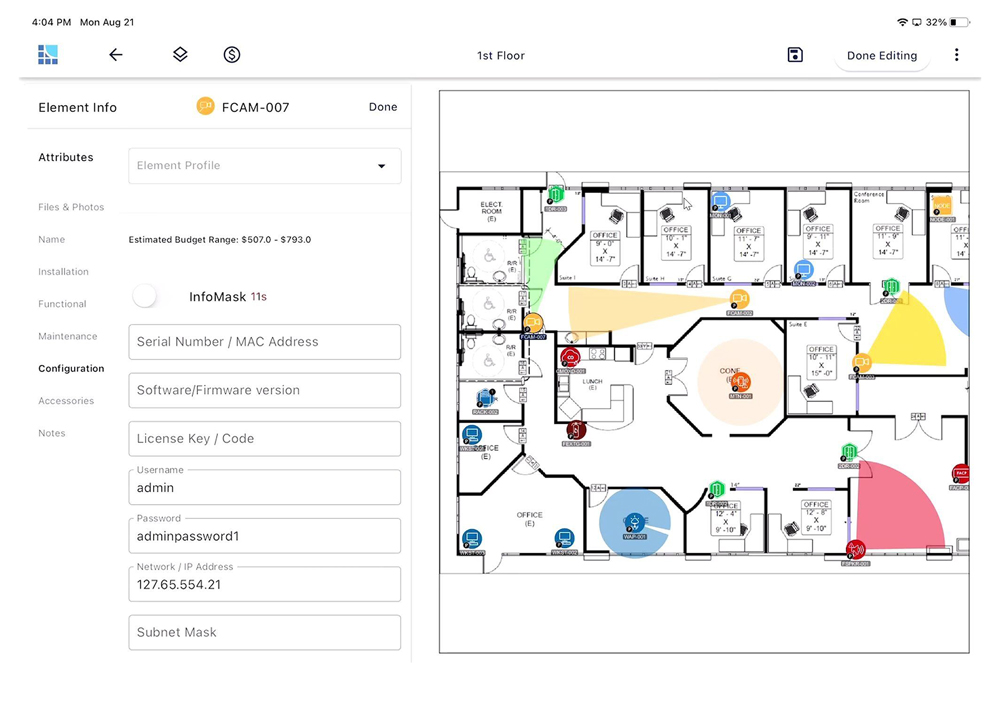
Almost all devices in today’s systems are IP-based. They require configuration at installation time including passwords, MAC addresses and sensitive details. Use InfoMask to provide encryption and permissions for access to configuration details.
Encrypt passwords, IP addresses, subnet masks, firmware versions & more
Provide permissions for specific users, technicians and sub-contactors
Keep a more dynamic and secure digital as-built for life cycle management
System design, installation and management require collaboration. Customized Reports allow users to automate and create professional-grade reports to share with team members, customers, stakeholders and subcontractors to put everyone on the same page.
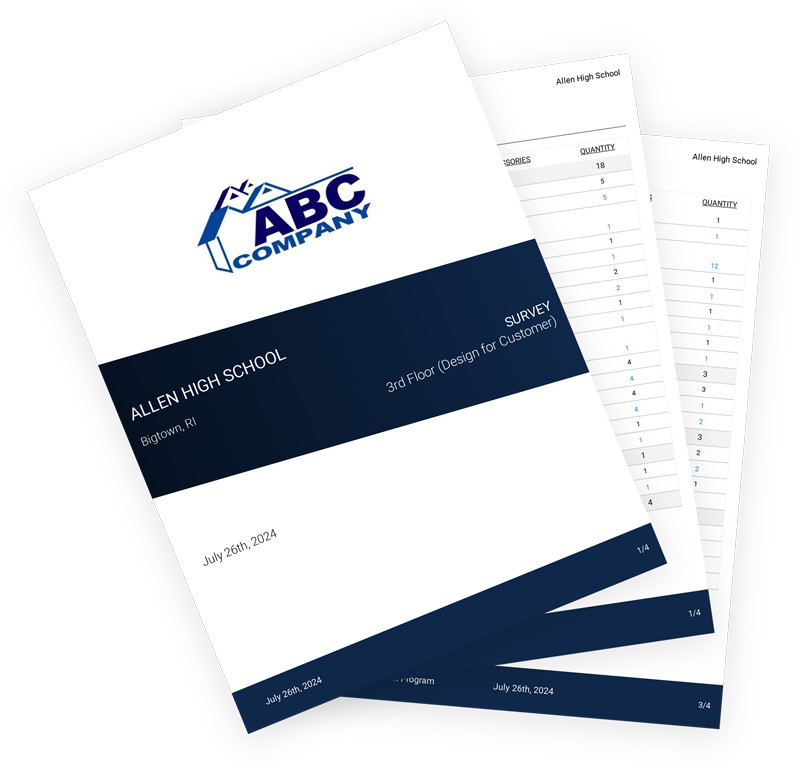
Combine and customize professional, branded reports to stand out for sales proposals or provide a schedule for installation or inspection.
Access & export reports for install, inspections and maintenance
Survey Layout with legend and filters
Export photos to confirm updates and moves, adds, changes
Combine reports for proposals or installation schedules
Improve system management with reports for inspections, maintenance and SLAs
When it’s time to present a report to stakeholders or submit a proposal with a design, it’s important to make a great impression. Provide a professional branded report with your logo and show the value of your design and expertise even with non-technical decision makers.
A high-quality process that results in a clean, accurate, branded report brings it all together. Include a security system design with a legend for a proposal, a clear bill of materials, a photo tour or other reports for your prospect or stakeholder. Look like a pro.
Conduct a mobile site survey with a digital floor plan. Drag-and-drop device icons, capture photos & get everything you need in one place. Sync to the cloud for next steps.
“One of the biggest things that System Surveyor has given us is the ability to provide visuals to our University’s stakeholders throughout the system design and proposal process. It offers us the ability to create floor plans that show all the devices currently deployed, which makes renovations and upgrades that much easier.”
Find answers to commonly asked questions here, along with other helpful resources in our Resource Center.
Check out our latest reports and customer success stories to see how System Surveyor has helped other companies, including System Integrators, Corporations and Organizations in healthcare, education and the public sector.
System Surveyor lets you export professional reports like PDFs, Bills of Materials (BOMs), photo tours, critical date reports and custom-branded proposals — all from the same platform.
Yes. The digital as-built is a dynamic, cloud-hosted system record that includes device details, photos, maintenance info and configuration data, making it easier to manage the system over its lifecycle.
Reports like critical date lists and digital as-builts provide context for inspections, maintenance schedules and future changes, giving your team and customers a complete lifecycle view.