Join us at the inaugural System Surveyor THRIVE user conference.
Site Survey
Partners
Join the Program
Available Manufacturer Catalogs
Webinars
Supercharge Your Sales
Power Up Project Delivery
Reports
Certification Program
Customer Success Stories
Blog
News & Events
< Back to the System Surveyor 2.0 Help Center
System Surveyor 2.0 app
If you’re using the System Surveyor Classic app, click below.
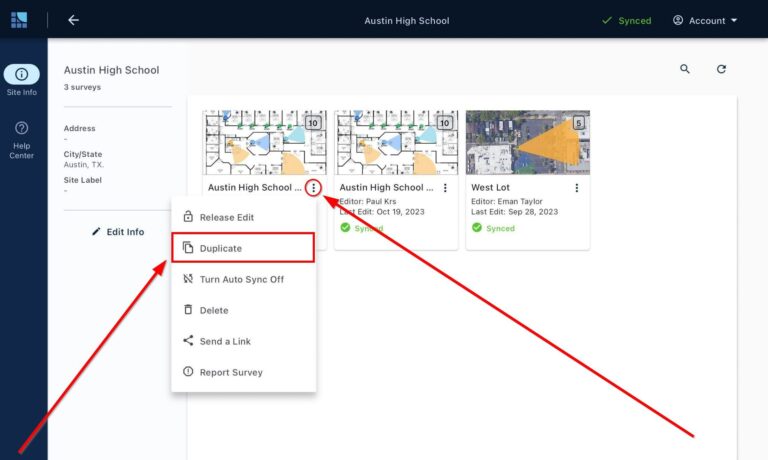
To create duplicate of a survey: