Gather requirements & photos in the field
Use drag-and-drop simplicity to get initial details, capture photos and gather important on-site details you need for an accurate security system design and estimate.
Imagine how you look when you take a digital tablet into the field to conduct a site walk with your customer or stakeholder. You’ve already gotten their attention. Capture everything you need to get an accurate physical security system design – faster.
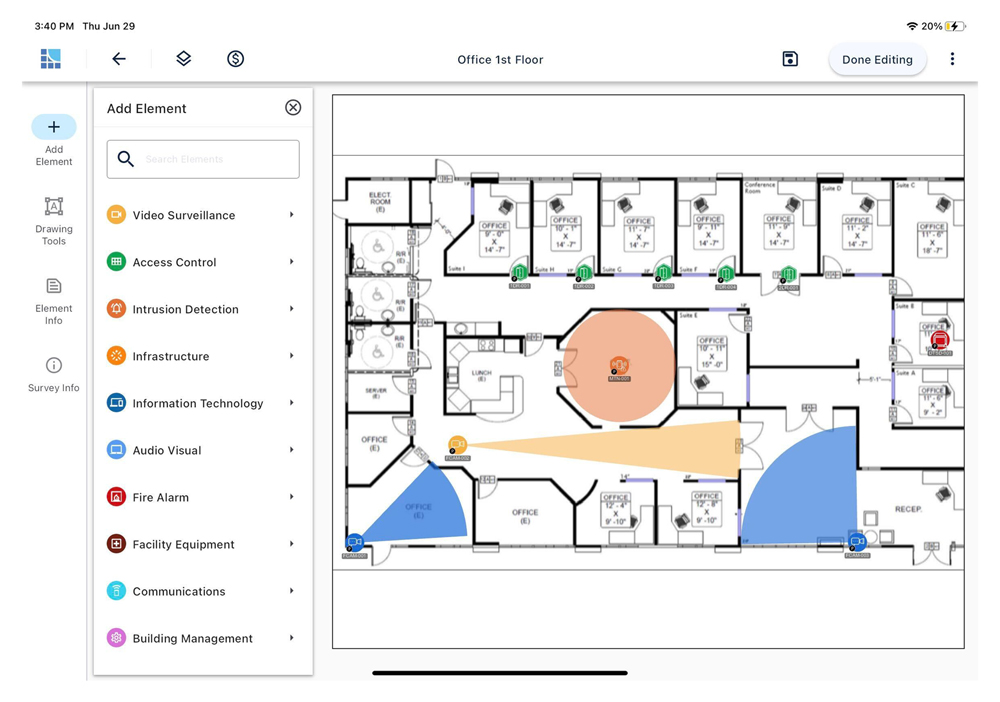
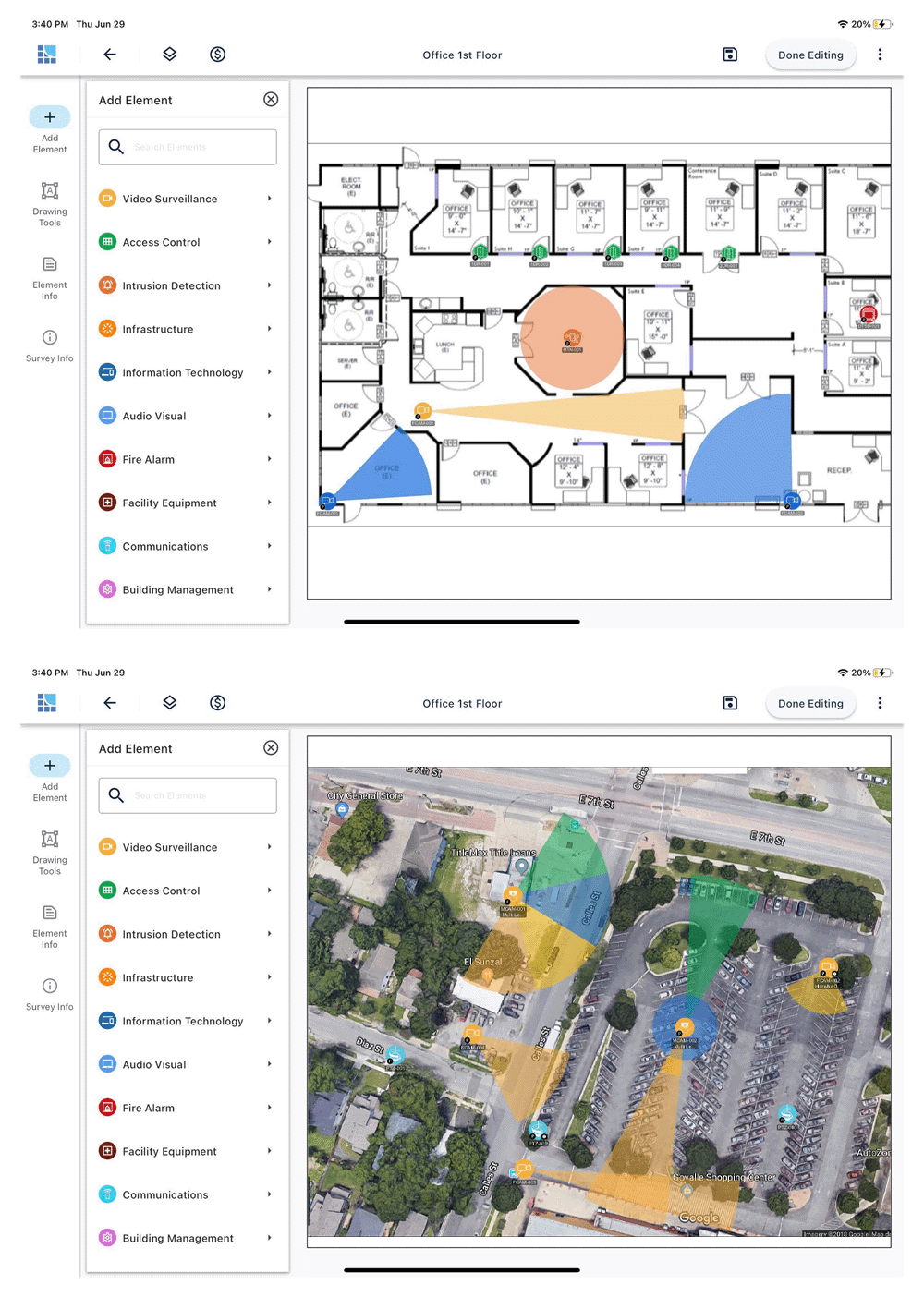
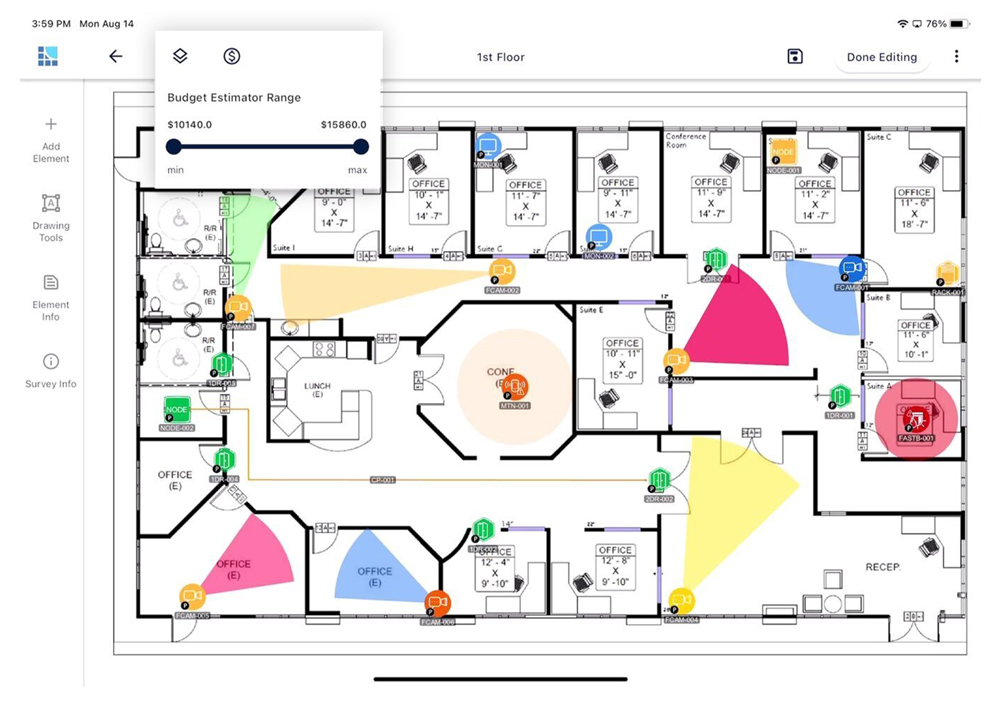
Moving from paper to digital floor plans is a game-changer. Import a JPG, PDF or PNG, set the scale & start your drag- and-drop design. No floor plan? Take a photo of a fire escape plan or use integrated Google Earth.
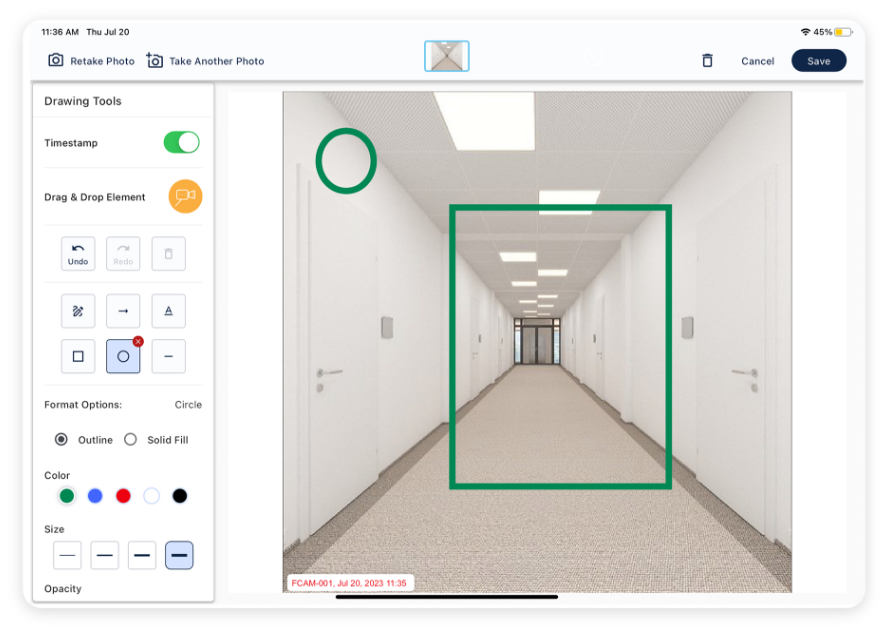
One of our community’s favorite feature. Capture a photo with automatic association to the site survey and element icon. Save hours of time & benefit from site photos. A picture is worth a thousand words.
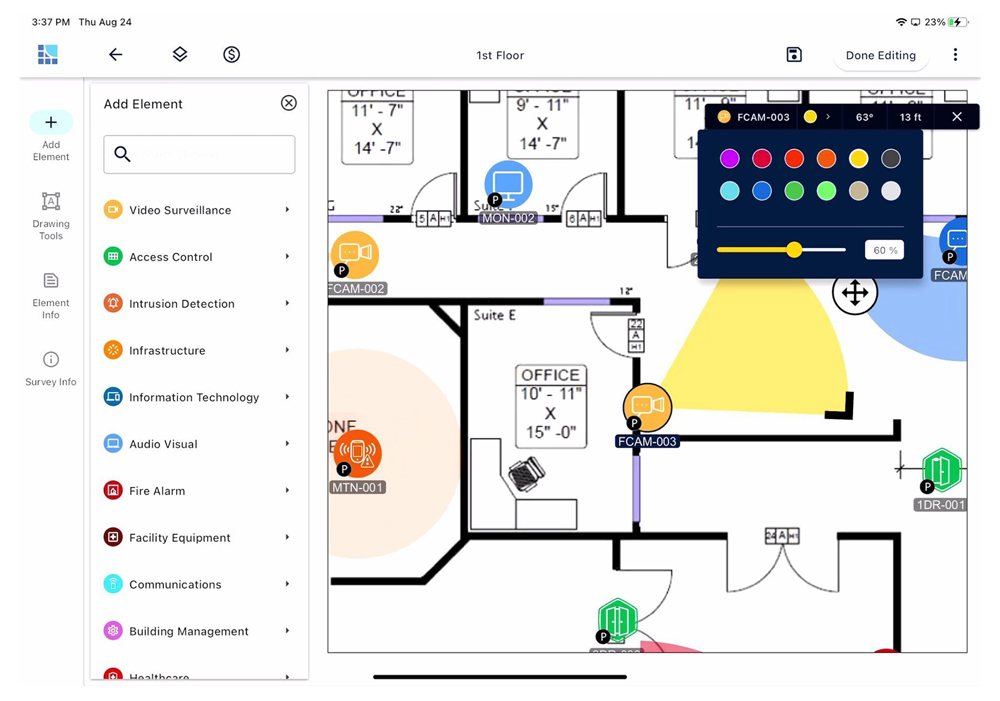
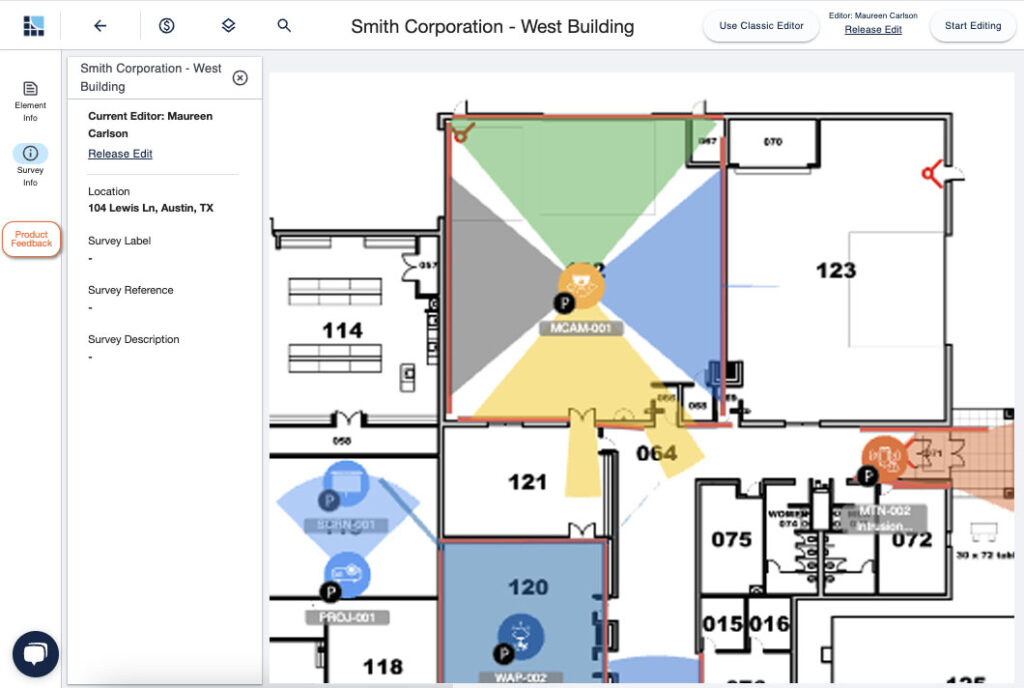
Whether designing for a sensor, Wi-Fi access point or a video surveillance camera – you’ll want to show the area of coverage or field of view. Visualize with customers & stakeholders with ease.
Easily draw in a line for walls and obstacles
Need a more precise area of coverage for your devices? Use Boundaries with the Area of Coverage feature to place in walls and obstacles that block an area of coverage for devices such as video surveillance cameras, motion detectors, wi-fi access points and more. Show the true coverage area or field of view.
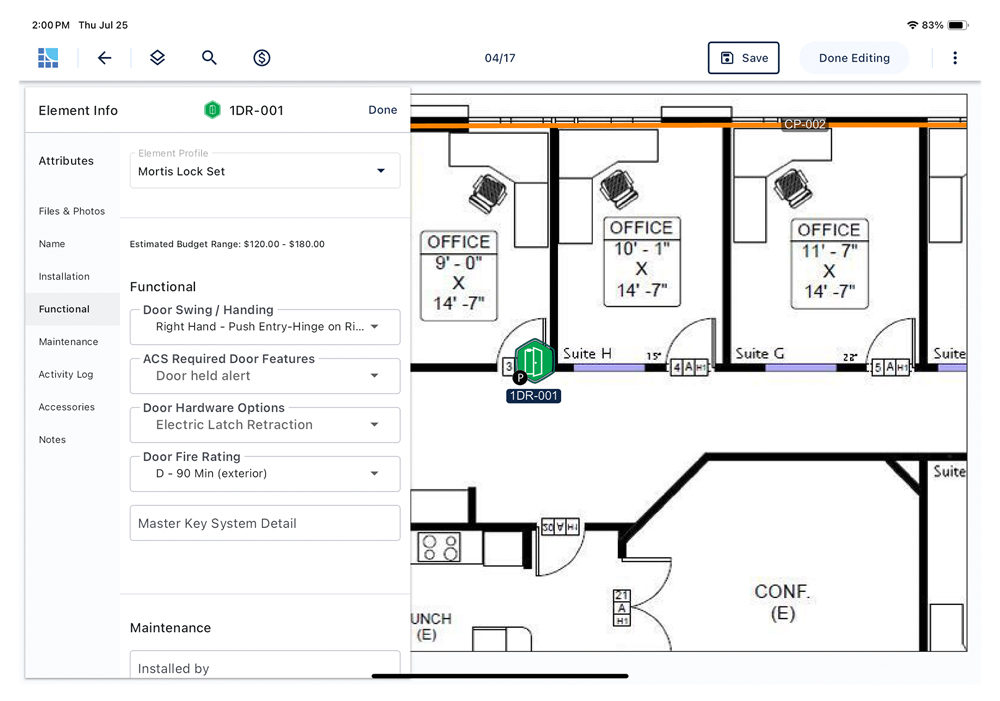
Out of the box, you get the element icons you need for a wide variety of electronic security and various devices. Each one has a unique set of attributes like a wizard to collect the right information.
Be consultative and pre-qualify. Help your prospect or stakeholder make the right tradeoffs. Save time and get buy-in early and often for a better process.
Ready to improve your workflow and scale your efforts? Take the mobile tablet app into the field for a proper site survey, capture just what you need. Sync to the cloud and access back at the office, share with your team or partners and refine into an accurate security system design in hours, not days or weeks.
Gathering Requirements
& Site Information
Conduct a mobile site survey with a digital floor plan. Drag-and-drop device icons, capture photos & get everything you need in one place.
Sync to the cloud for next steps.
Design Clean Up
at the Office
Access from your web browser at the office with everything needed to select the right devices, apply cabling, accessories & refine the design.
Sharing &
Collaborating
Get help on the design from your experts or manufacturer partners. Stop sending PDF markups by email & start inviting them into the design.
Proposals &
Reporting
You’re already looking great to your customer or stakeholder, now add your logo & bill of materials for a professional report or proposal.
“System Surveyor greatly helps the handoff between sales and operations by creating a ‘record of design intent’ so that we can create an accurate scope of work before drafting formal drawings. It saves a lot of time and increases accuracy for proposals which in turn speeds up sales.”
Find answers to commonly asked questions here, along with other helpful resources in our Resource Center.
Check out our latest reports and customer success stories to see how System Surveyor has helped other companies, including System Integrators, Corporations and Organizations in healthcare, education and the public sector.
A digital site survey replaces paper floor plans and handwritten notes with a single, structured workspace where you capture photos, drag and drop security devices, and record details directly on the plan. This eliminates lost notes, inconsistent symbols, and manual re-entry, giving you cleaner data that flows seamlessly into collaborative system design, installation, and system lifecycle management.

Yes. You can take photos in the field with your tablet and they automatically associate with the corresponding floor plan and security device element icon, so nothing gets lost or mismatched later.
You can import PDF, JPG, or PNG floor plans. If you don’t have a plan, you can even use an image like a fire escape plan or a Google Maps satellite image and set the scale to begin surveying.
No. The mobile tablet app lets you work offline in the field. Once you’re back online, data syncs to the cloud so your team can access it in real time via a browser.
The platform lets you capture detailed device attributes, boundaries, coverage areas, and photos right when you’re onsite — reducing guesswork and rework later in the design process. Automatically generate high-level cost estimates directly from survey data, helping align scope and budget before design advances.